Enter the score for a hole
Can I record which club I used?
NAVO does not support recording which club you used for each shot or hole. You can record strokes, putts, FIR, and GIR. Shot Distance measures how far a shot travelled, but does not record the club used.
Would you like club recording added? Contact us to share your feature request. Your ideas help guide future improvements to the watch.
What do FIR and GIR mean?
Automatic score prompts
If score prompts are enabled, the watch asks for the completed hole when you reach the next tee. You can also enter a score yourself at any time using A.
To stop automatic prompts during a round, press the crown button, select Scoring, then Disable score prompts.
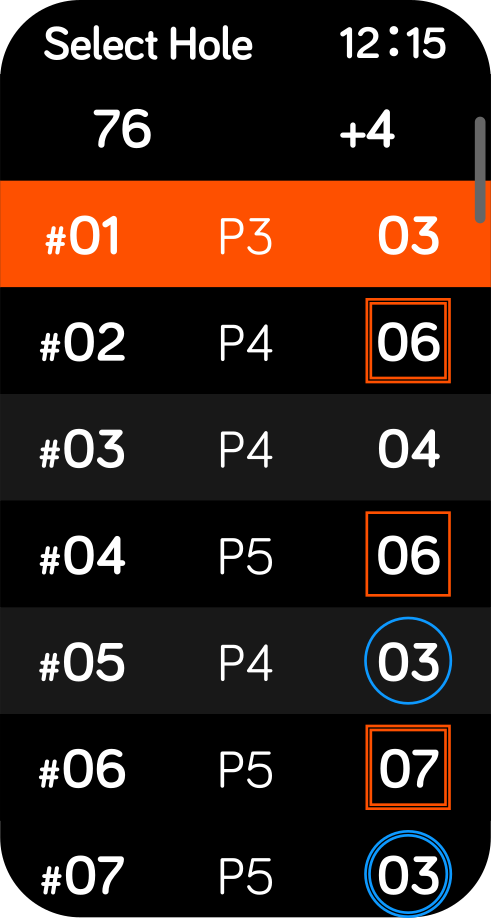
Review your scorecard
Tap B: the hole number and par at the top right of the distance screen to review your running scorecard.
Delete an old score or saved round
On the NAVO W1 watch
In the NAVO app
Deleting a round on the watch and in the app is separate. Deleting it in one does not automatically delete it in the other. To remove both copies, delete the round in both places. Repeat these steps for each round you want to remove from your history.